3DConnexion SpaceMouse Pro Ratón 3D USB

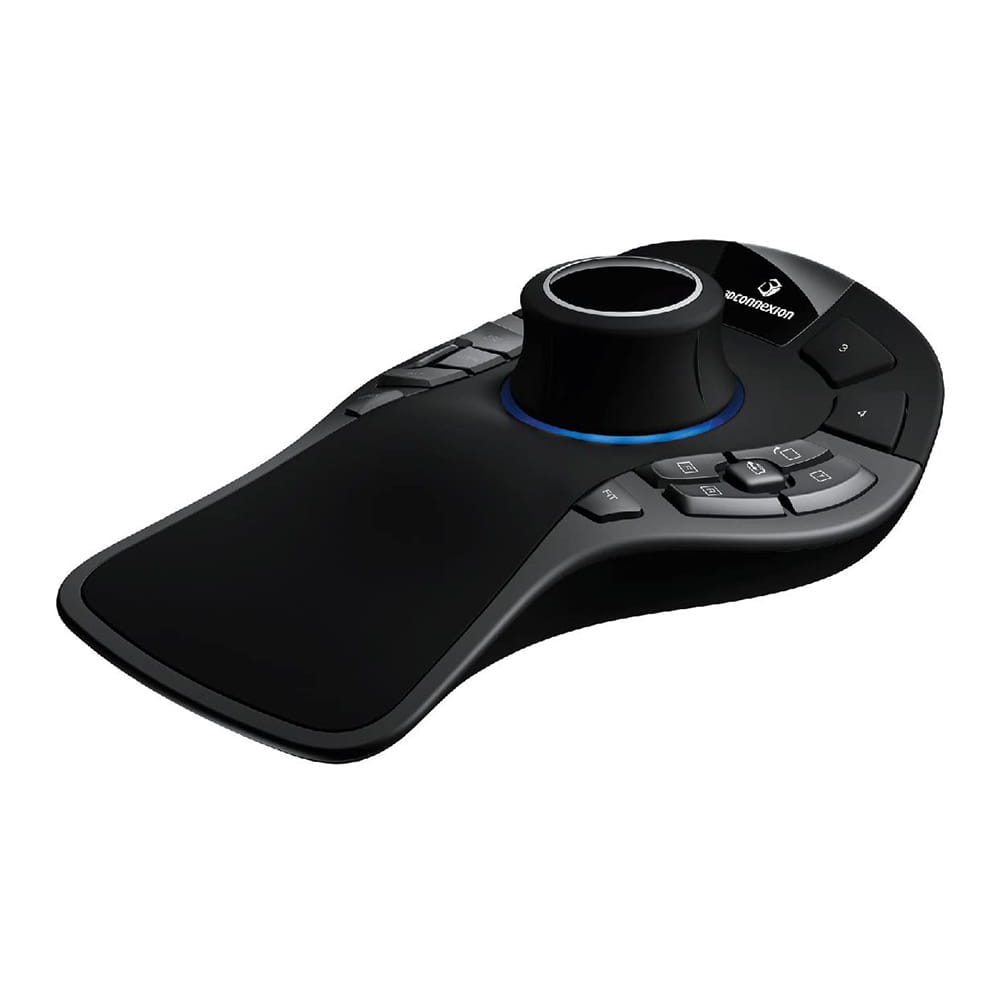
- 3Dconnexion's patented Six Degrees of Freedom (6DoF) sensor technology.
- Advanced ergonomic design: Thanks to its wide and soft palm rest, maximum comfort is guaranteed and its 15 large Soft-Touch keys will give you instant access to the most common commands.
- Quick view keys give you access to 12 preset views and allow you to enable or disable the axis of rotation-
- Smart Function Keys: Direct access to 4 immediate functions will speed up work processes.
- The screen: Graphical representation of the commands attributed to the functional keys.
- Standard Keys: Control, Shift, Alt, Esc functions save you time by not having to move your hand so much between the 3D mouse and keyboard.
Superior 3D navigation. Like all other 3Dconnexion 3D mice, SpaceMouse Pro incorporates a proprietary sensor for controlling up to six degrees of movement (6DoF) that allows you to easily navigate digital models or camera positions in 3D space. To accurately and intuitively pan, zoom / pan, and rotate the model or camera, simply push, pull, rotate or tilt the 3Dconnexion control head.
Quick view keys. SpaceMouse Pro's quick-view keys provide fingertip access to 12 views, making it easier to detect errors, explore alternatives, and present your work for review more efficiently. The rotation toggle key deactivates the axes of rotation, allowing simultaneous scroll and increase / decrease navigation appropriate for work modes such as drafts.
Ergonomic design. The soft, oversized palm rest ensures maximum comfort as it places your hand perfectly for use with the 3Dconnexion command head. Each of SpacePilot Pro's 15 fully programmable touch buttons is conveniently located, allowing quick access to frequently used commands.
Smart keys. SpaceMouse Pro automatically recognizes the application environment and assigns the appropriate commands to four large, touch-friendly smart function keys.
Screen. The display screen1 provides a convenient visual reminder on the equipment screen of the commands assigned to the smart function keys.
Key modifiers. SpaceMouse Pro's keyboard modifiers provide easy access to the Control, Shift, Alt, Esc functions, saving you time by not having to move your hand so much between the 3D mouse and keyboard.
Virtual numeric keyboard. Save time and stay focused with SpaceMouse Pro's virtual numeric keypad1 to enter numeric data into the application with a standard mouse, rather than the keyboard.
Highlights ...
* Quick mink keys.
* Ergonomic design.
* Smart keys.
* Visual display.
* Virtual numeric keyboard.
* Key modifiers.
Approximate delivery on Thursday, July 30
Please note that the delivery date is an estimate