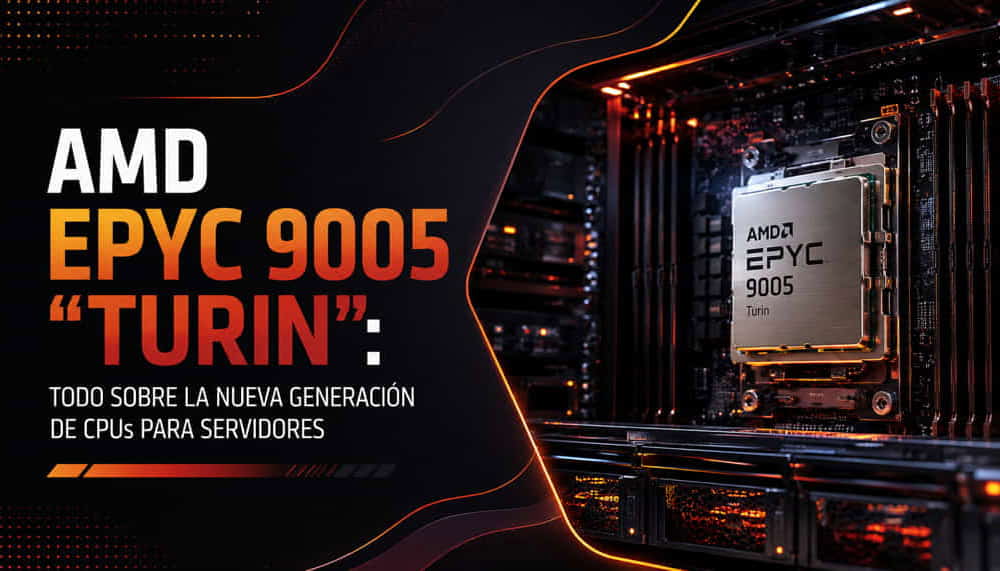
The fifth generation of AMD EPYC processors has changed the rules of the game in the data center. With up to 192 cores per socket, Zen 5 architecture, DDR5-6400 memory and full support for PCIe 5.0 and CXL 2.0, the EPYC 9005 family —code-named “Turin”— delivers a leap in performance and density that forces us to rethink how professional servers are sized.
In this guide, we review what really changes compared with the previous generation, how to choose between the different models in the range, when upgrading is worthwhile, and how it compares with Intel’s competition. Whether you are planning an infrastructure refresh or designing a custom server for a specific project, here you will find the technical criteria you need to make the right decision.
1. What is AMD EPYC 9005 “Turin” and what changes with Zen 5?
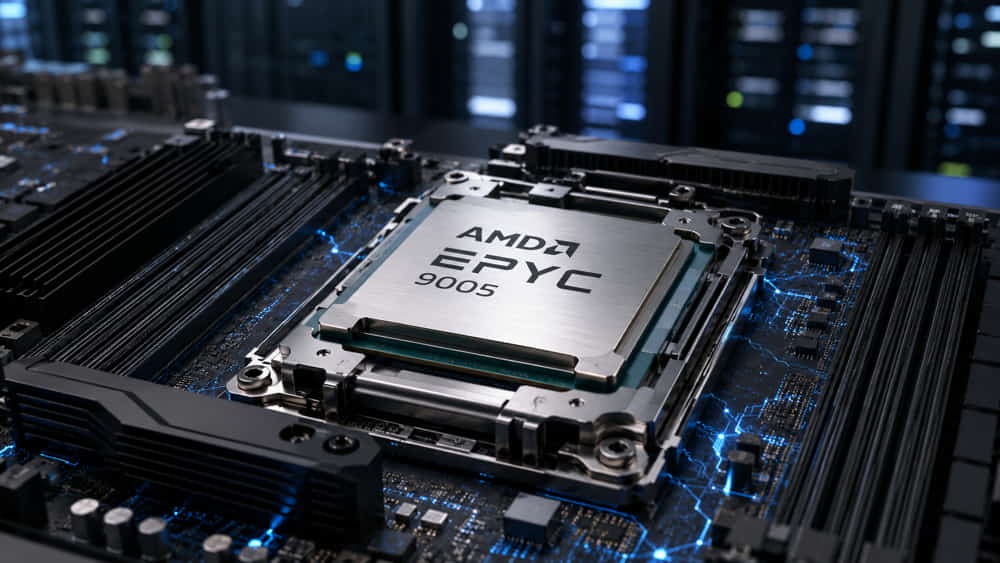
AMD EPYC 9005 is AMD’s fifth generation of server processors and the direct successor to the EPYC 9004 “Genoa” family. It retains the SP5 socket and platform compatibility, but introduces the Zen 5 microarchitecture, which is where most of the improvements are concentrated.
The most relevant changes compared with Genoa are:
- IPC increase of around 17%: in other words, more work per clock cycle without needing to increase frequency. This translates into better performance in virtually any workload, even with the same number of cores.
- Full-width AVX-512 execution: Zen 5 processes AVX-512 instructions as true 512-bit operations instead of splitting them into two 256-bit operations. The impact is significant in scientific computing, simulation and CPU-based AI inference.
- Up to 192 cores and 384 threads per socket: compared with Genoa’s maximum of 96 cores. In a dual-socket configuration, this means up to 384 cores in a single server.
- DDR5-6400 memory: 12 channels per socket, compared with DDR5-4800 in the previous generation. This provides more bandwidth per core, which is precisely the usual bottleneck in high-density systems.
- CXL 2.0 support: allows memory to be expanded beyond the server’s physical DIMMs, something particularly relevant for in-memory databases and intensive virtualization.
An important practical detail is that, by retaining the SP5 socket, many EPYC 9004 platforms support Turin processors with a simple BIOS update. This opens the door to upgrading the CPU without replacing the chassis, motherboard or power supply, significantly reducing the cost of the upgrade.
2. Zen 5 vs Zen 5c: two philosophies in the same socket
This is where many comparisons fall short. The EPYC 9005 range does not use a single type of core: Zen 5 and Zen 5c coexist, and understanding the difference is essential to avoid choosing the wrong processor.
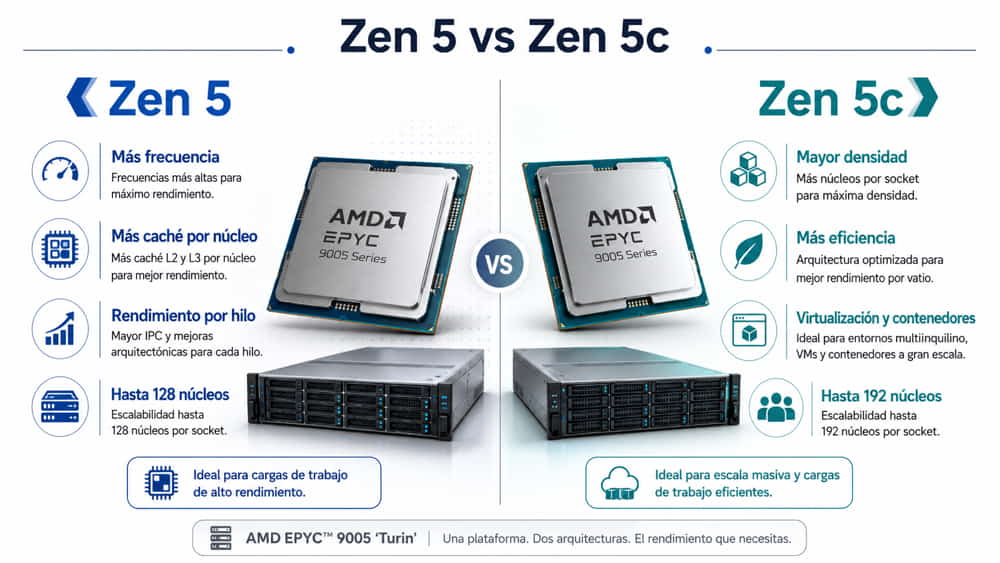
Zen 5 cores (frequency)
These are the “full” cores. They feature more L3 cache per core and reach significantly higher clock speeds. Zen 5-based models scale up to 128 cores and are the right choice when per-thread performance matters: transactional databases, per-core licensed software, HPC with poorly parallelized workloads or legacy applications.
Zen 5c cores (density)
Zen 5c shares the same architecture and identical instruction set, but it is optimized for area efficiency: physically smaller cores, less cache per core and lower frequencies. In return, they allow up to 192 cores in a single socket. They are the natural choice for high-density virtualization, containers, multitenant hosting and any scenario where the goal is to maximize the number of VMs or pods per rack.
The practical rule is simple: if your metric is “performance per core”, choose Zen 5. If your metric is “cores per watt” or “VMs per server”, choose Zen 5c. And if your software is licensed per core —VMware, Oracle, SQL Server—, a Zen 5 model with fewer cores and higher frequencies will almost always make more sense, because the licensing savings can far outweigh the price difference of the processor.
3. Key EPYC 9005 models and their use cases
The Turin family is extensive. These are the models that account for most real-world deployments:
- EPYC 9965: 192 cores, Zen 5c, approximate TDP of 500 W. Recommended for massive virtualization, cloud and containers.
- EPYC 9845: 160 cores, Zen 5c, approximate TDP of 390 W. Recommended for high density with a more moderate TDP.
- EPYC 9755: 128 cores, Zen 5, approximate TDP of 500 W. Targeted at HPC, CPU-based AI and mixed workloads.
- EPYC 9655: 96 cores, Zen 5, approximate TDP of 400 W. For high-performance general-purpose use.
- EPYC 9655P: 96 cores, Zen 5, approximate TDP of 400 W. Particularly attractive for single-socket configurations thanks to its cost per core.
- EPYC 9575F: 64 cores, Zen 5, approximate TDP of 400 W. Designed for maximum frequency and GPU systems.
- EPYC 9555: 64 cores, Zen 5, approximate TDP of 360 W. A good balance for general-purpose use and databases.
- EPYC 9355P: 32 cores, Zen 5, approximate TDP of 280 W. Suitable for application servers and entry-level deployments.
Two specific models are worth highlighting.
The EPYC 9655P is probably the model with the best price-to-performance ratio in the entire range. The “P” indicates that it is limited to single-socket configurations, which is precisely why its price is noticeably lower than the equivalent 9655. If the project does not require dual-socket —and many projects do not when 96 cores are already available— the P version saves a considerable amount of money without sacrificing performance.
The EPYC 9575F, meanwhile, is a very specific model: 64 cores but with the highest boost frequency in the family. It is designed to act as the host CPU in multi-GPU systems, where the processor does not perform most of the computation itself but must feed data to the GPUs without becoming a bottleneck. It is a common choice in high-end GPU servers for AI.
4. DDR5-6400 memory and channels: the new architecture
Turin retains 12 memory channels per socket, but increases supported memory speed to DDR5-6400. On paper, this may seem like a minor change; in practice, it is critical in high-density systems.
The reason is bandwidth per core. An EPYC 9965 with 192 cores and memory running at 4800 MT/s has significantly less bandwidth available per core than a 96-core model with the same memory configuration. Increasing the speed to 6400 MT/s partially restores that ratio and reduces the amount of time cores spend waiting for data.
Practical configuration recommendations:
- Always populate all 12 channels. A server with 8 DIMMs instead of 12 loses around 30% of its memory bandwidth. This is one of the most common configuration mistakes and also one of the most expensive in terms of lost performance.
- Use one DIMM per channel for maximum speed. When two DIMMs per channel are populated, the effective frequency drops. If you need a large amount of capacity, it is preferable to use higher-density modules instead of doubling the number of DIMMs per channel.
- RDIMM vs MRDIMM: MRDIMM modules support higher speeds in very demanding configurations, although their additional cost is only justified in workloads that are genuinely memory-bound.
- Consider CXL 2.0 if you work with in-memory databases or virtualization environments where RAM is the limiting resource. It allows capacity to be expanded beyond the available physical slots.
5. PCIe 5.0, CXL 2.0 and connectivity
Each EPYC 9005 socket provides 128 PCIe 5.0 lanes. In a dual-socket configuration, the total rises to 160 usable lanes, as some lanes are dedicated to inter-processor connectivity.
That number of lanes is what makes it possible to build truly dense servers without relying on PCIe switches that introduce latency. With 128 lanes per socket, for example, you can install eight dual-width GPUs at native x16, or combine four GPUs with high-performance NVMe storage and 200 GbE networking without compromising bandwidth anywhere in the system.
Regarding CXL 2.0, this is the innovation with the greatest medium-term potential. It allows memory expansion devices to be connected through the PCIe bus so that the operating system recognizes them as additional memory. In in-memory database projects, large-scale data analytics or virtual machine consolidation, this means the ability to scale capacity without changing the platform.
6. EPYC 9005 vs EPYC 9004 “Genoa”: is upgrading worthwhile?
This is one of the questions we receive most often. The answer depends on whether we are talking about refreshing an existing server fleet or deploying a new project.
- Architecture: EPYC 9004 uses Zen 4 / Zen 4c, while EPYC 9005 adopts Zen 5 / Zen 5c.
- Maximum core count: EPYC 9004 reaches 96 cores, or 128 with Bergamo, while EPYC 9005 scales up to 192.
- IPC: EPYC 9005 delivers approximately 17% more than the previous-generation reference.
- AVX-512: Genoa uses a split 2 × 256-bit path, while Turin incorporates a full 512-bit path.
- Memory: DDR5-4800 and 12 channels in Genoa versus DDR5-6400 and 12 channels in Turin.
- PCIe: both generations offer PCIe 5.0 and 128 lanes.
- CXL: CXL 1.1 in Genoa versus CXL 2.0 in Turin.
- Socket: both use SP5, which simplifies compatibility between platforms.
When upgrading does make sense
- If your workload makes intensive use of AVX-512 —simulation, scientific computing, CPU inference—, the improvement is substantial and difficult to match by other means.
- If you are limited by density and need to consolidate more virtual machines per server: moving from 96 to 192 cores can reduce the number of physical nodes by half.
- If your software is licensed per core and you can reduce the number of servers: licensing savings can often pay back the hardware investment quickly.
- If your SP5 platform supports Turin through a BIOS update: the cost of the upgrade is reduced to the processor itself.
When it can wait
- If your Genoa servers are less than two years old and current workloads are not saturating the CPU.
- If the real bottleneck is storage or networking rather than compute. Before replacing the processor, it is worth measuring where the actual limitation lies.
- If you are running light workloads where the additional performance does not translate into any noticeable improvement.
In any case, before considering a refresh, we recommend analyzing the actual behavior of the current system. In our guide on how to optimize server performance, we explain which metrics to review to determine whether the processor is truly the limiting factor.
7. EPYC 9005 vs Intel Xeon 6 (Granite Rapids)
Intel responds to Turin with the Xeon 6 family, which is itself divided into two lines: P-cores (Granite Rapids), focused on performance, and E-cores (Sierra Forest), focused on density and efficiency.
- Maximum performance-oriented core count: 128 Zen 5 cores in AMD EPYC 9005 versus 128 P-cores in Intel Xeon 6.
- Maximum density-oriented core count: 192 Zen 5c cores in AMD versus 288 E-cores in Intel.
- Memory: DDR5-6400 and 12 channels in AMD versus DDR5-6400 / MRDIMM-8800 in Intel.
- PCIe lanes per socket: 128 lanes in AMD versus between 96 and 136 lanes in Intel.
- Integrated accelerators: AMD has no direct equivalents, while Intel includes AMX, QAT and DSA.
- Performance per watt: AMD maintains an overall advantage, while Intel E-cores are competitive in certain workloads.
In general terms, AMD maintains the advantage in raw performance per socket, PCIe lane count and energy efficiency across most scenarios. Intel, meanwhile, retains strong arguments in two areas: its integrated accelerators —AMX is particularly interesting for CPU-based AI inference— and support for MRDIMM at 8800 MT/s in the highest-end configurations.
The decision is rarely about “which one is better” in the abstract, but rather which platform best fits your specific software and workload profile. We analyze this comparison in more detail in our Intel vs AMD comparison.
8. Use cases by sector
Virtualization and server consolidation
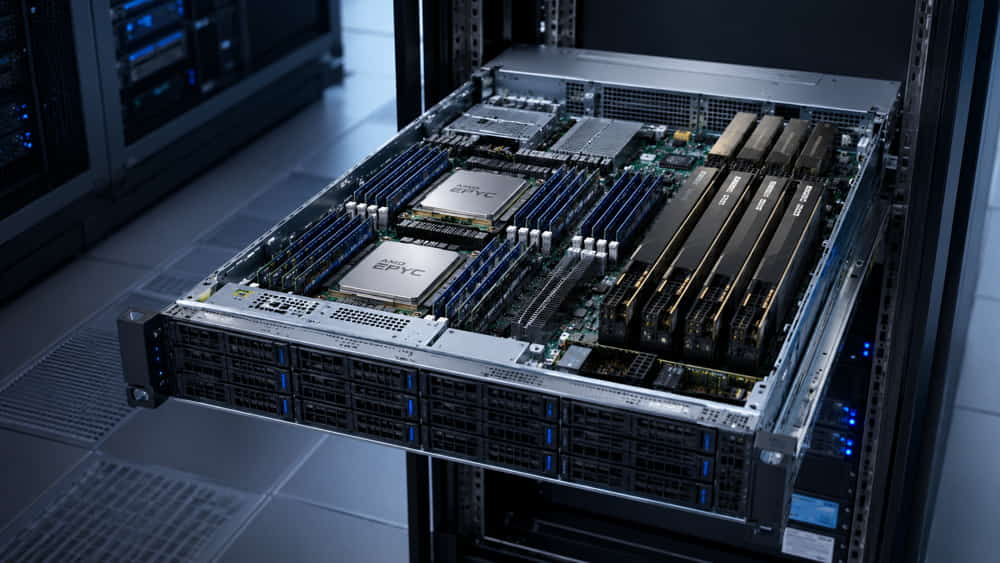
Recommended models: EPYC 9965 (192c) or EPYC 9845 (160c). The objective here is to maximize virtual machine density per physical node. A single server equipped with a 9965 can comfortably replace three or four servers from previous generations, resulting in savings in rack space, power consumption and cooling. It is advisable to pair it with 1.5 TB of RAM or more and NVMe storage.
HPC and scientific computing
Recommended models: EPYC 9755 (128c) or EPYC 9655 (96c). The improvement in full-width AVX-512 execution is the decisive argument here: fluid dynamics, finite element and molecular simulation workloads can see very significant gains compared with Genoa. DDR5-6400 memory bandwidth also performs well in memory-bound workloads.
Artificial intelligence infrastructure
Recommended model: EPYC 9575F as the host CPU in multi-GPU servers. In AI projects, the GPU performs the heavy computation, but the CPU must preprocess and feed data quickly enough. A high-frequency processor with plenty of PCIe lanes prevents the host system from becoming a bottleneck. You can view our AI server configurations to see fully validated architectures.
Databases
Recommended models: EPYC 9555 (64c) or EPYC 9655P (96c). In transactional databases, per-core performance and memory latency matter more than total core count. In addition, because this type of software is often licensed per core, a model with fewer cores and higher frequencies can be more cost-effective when looking at the total project cost.
Application servers and general-purpose use
Recommended models: EPYC 9355P (32c) or EPYC 9455P (48c). For standard application workloads, web servers, ERP systems or development environments, single-socket versions offer the best balance of cost, power consumption and performance without oversizing the investment.
9. Compatible servers and platform considerations
When planning a server based on EPYC 9005, there are four points worth reviewing that are often overlooked:
- Power: 500 W TDP models require properly sized redundant power supplies. A dual-socket server with two 9965 processors plus GPUs can easily exceed 2,000 W of total power consumption.
- Cooling: from 400 W TDP upwards, air cooling starts to become demanding in 1U chassis. In high-density configurations, direct-to-chip liquid cooling is no longer an exotic option and becomes the sensible solution.
- BIOS version: earlier SP5 platforms require a firmware update to recognize Turin processors. This must be verified before purchasing the CPU.
- Rack and space: greater compute density concentrates more heat per rack unit. It is worth reviewing the cooling capacity of the data center before consolidating workloads.
At Ibertrónica, we configure and manufacture custom servers based on EPYC 9005, adapting every component —processor, memory, storage, networking, power and cooling— to the actual requirements of the project, rather than starting from a closed standard configuration.
10. Frequently asked questions
Is EPYC 9005 compatible with EPYC 9004 motherboards?
Yes, in most cases. Both generations share the SP5 socket, and many motherboards support Turin after a BIOS update. It is always advisable to confirm compatibility with the motherboard manufacturer before purchasing the processor, as not every model has received support.
What is the difference between EPYC 9655 and 9655P?
Both have 96 cores and virtually identical specifications. The P version is limited to single-socket configurations, which reduces its price significantly. If your project does not require dual-socket, the 9655P is the more cost-efficient option.
How many cores do I actually need?
It depends on the type of workload, not the size of the company. For high-density virtualization, 128 or 192 cores can make sense. For databases or software licensed per core, it is usually more cost-effective to stay between 32 and 64 cores with high clock speeds. Oversizing the core count is a common and expensive mistake, especially when licensing costs are involved.
Is it worth waiting for the next generation?
Turin is a mature platform with stable availability and a well-established ecosystem. If there is a genuine infrastructure requirement, waiting for the next generation means continuing to bear the cost of operating older hardware during that entire period, which rarely pays off.
What cooling does an EPYC 9965 require?
With a 500 W TDP, it requires at minimum high-performance air cooling in a 2U chassis with adequate airflow. In 1U chassis or dual-socket configurations, liquid cooling is the recommended alternative to maintain sustained clock speeds without throttling.
Can I use EPYC 9005 for artificial intelligence?
Yes, with some caveats. For model training, a GPU is essential, and the EPYC processor acts as the host CPU. For inference of small or medium-sized models, Zen 5 cores with full-width AVX-512 offer reasonable performance without requiring a dedicated GPU.
Do you need help sizing a server with EPYC 9005?
At Ibertrónica, we have more than 30 years of experience configuring and manufacturing professional custom servers. We analyze your workload, software and operating conditions to recommend a balanced configuration in terms of performance, reliability and cost, without unnecessary components.
Configure your server with EPYC 9005 → Request technical advice with no obligation