There comes a point when a desktop processor is no longer enough. Not because it lacks raw power, but because the project starts running into limits that no Ryzen or Core processor can overcome: insufficient memory, exhausted PCIe lanes, lack of ECC support. That is where Threadripper PRO comes in.
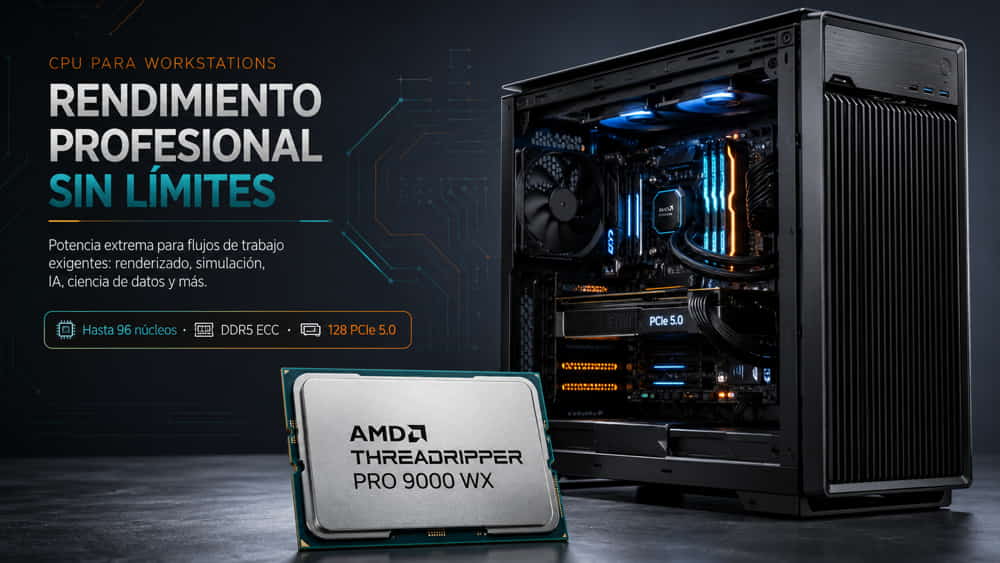
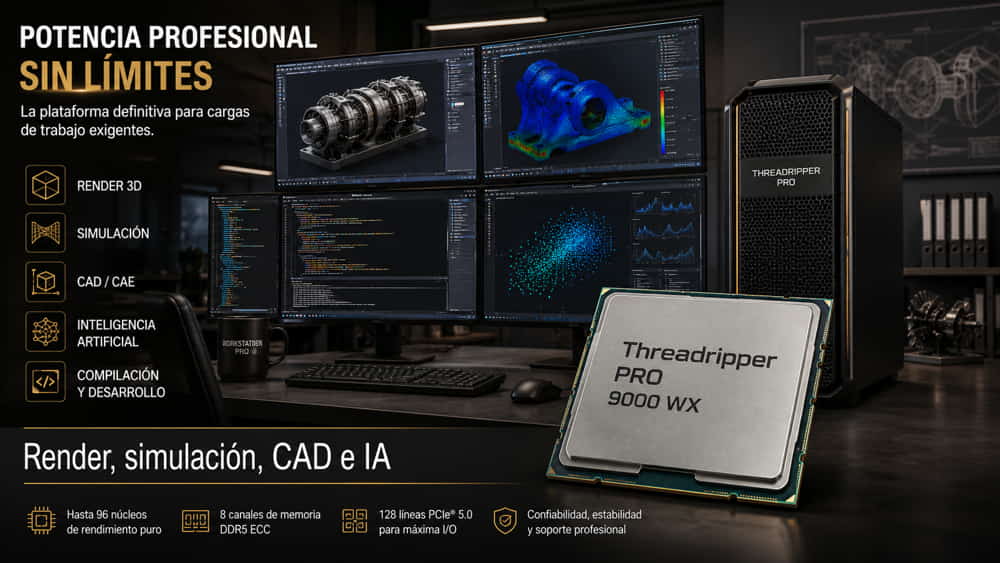
The 9000 WX series is the latest generation of AMD’s professional HEDT platform: Zen 5 architecture, up to 96 cores, eight DDR5 memory channels with ECC support, and 128 PCIe 5.0 lanes. In this analysis, we look at which models make up the range, which workloads truly justify the price, and where it becomes a difficult investment to defend.
1. What is Threadripper PRO and who is it for?
Threadripper PRO occupies a very specific space between high-end desktop computing and servers. It is not simply a Ryzen with more cores or a cut-down EPYC: it is a platform designed for workstations where workloads are intensive, sustained, and sensitive both to thread count and to input/output capacity.
What sets Threadripper PRO apart from a consumer processor are three key platform features:
- Eight DDR5 memory channels with registered ECC support: compared with the two channels found on a conventional Ryzen processor. This allows configurations of up to 2 TB of RAM with error correction, something essential in simulation or rendering very large scenes where a memory error could mean losing hours of computation.
- 128 PCIe 5.0 lanes: enough for several GPUs running at native x16, plus high-performance NVMe storage and network or capture cards, all operating simultaneously without sharing bandwidth.
- Professional management features: AMD PRO Technologies provides platform-level security and remote management capabilities that IT departments need when deploying systems in corporate environments.
The target user profile is clear: VFX and animation studios, engineering firms running structural or fluid simulations, development teams compiling very large codebases, and video post-production professionals working at high resolutions. If you are unsure whether your project requires this level of platform, our guide on what a workstation is explains the differences compared with a conventional high-end PC.
2. 9000 WX range: models and specifications
The 9000 WX series retains the sWRX90 socket and is built around five models ranging from 16 to 96 cores:
| Model | Cores / Threads | L3 Cache | TDP | Use Case |
|---|---|---|---|---|
| Threadripper PRO 9995WX | 96 / 192 | 384 MB | 350 W | Local render farm, large-scale simulation |
| Threadripper PRO 9985WX | 64 / 128 | 256 MB | 350 W | VFX, CFD, intensive compilation |
| Threadripper PRO 9975WX | 32 / 64 | 128 MB | 350 W | The overall sweet spot in the range |
| Threadripper PRO 9965WX | 24 / 48 | 128 MB | 350 W | CAD/BIM, video editing |
| Threadripper PRO 9955WX | 16 / 32 | 64 MB | 350 W | Entry point to the platform with full I/O |
The 32-core 9975WX deserves particular attention because, in practice, it fits the widest range of projects. It offers high turbo frequencies —relevant in software that does not parallelise well, as is the case with much CAD software— while still providing enough threads for rendering and simulation. The 64- and 96-core models make sense when workloads are massively parallel and sustained; otherwise, you end up paying heavily for cores that remain underused.
An important point about the 16-core 9955WX: in pure compute performance, a high-end Ryzen 9 may deliver similar or even better results thanks to its higher frequency. The justification for the 9955WX is not its core count, but the platform itself: eight ECC memory channels and 128 PCIe lanes. You choose it when you need that I/O capacity, not when you are simply looking for per-core performance.
3. Zen 5, eight DDR5 channels and 128 PCIe 5.0 lanes: the winning combination
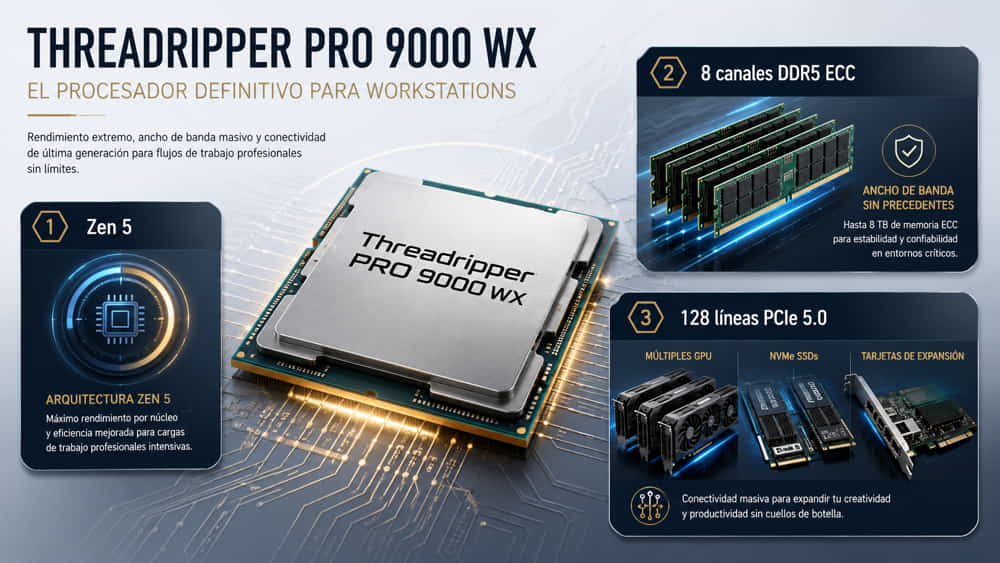
The improvements in the 9000 WX series compared with the previous 7000 WX generation are not limited to core count, but also to how those cores are fed.
Zen 5: more work per cycle
The Zen 5 microarchitecture delivers an IPC increase of around 16–17% compared with Zen 4. But the most significant change in this segment is full-width AVX-512 execution: in Zen 4, 512-bit instructions were internally split into two 256-bit operations; in Zen 5, they are executed in a single pass. In numerical simulation, CPU rendering, and video processing, the effect is directly noticeable.
Eight DDR5 channels with ECC
Memory bandwidth is the real bottleneck in most professional workloads, not processor frequency. With eight DDR5 channels, the platform delivers four times the available memory bandwidth of a two-channel desktop system. In a rendering scene with heavy geometry or a finite-element mesh with millions of nodes, that difference determines whether the cores are working or waiting.
128 PCIe 5.0 lanes
This is the least discussed and probably the most decisive advantage. An sWRX90 motherboard can support four GPUs at native x16, several PCIe 5.0 NVMe drives, and a 100 GbE network card without forcing any of these devices to share bandwidth. On a desktop platform, adding a second GPU already requires splitting lanes and reducing the performance available to both.
4. Threadripper PRO vs Ryzen and EPYC: when to choose each one
This is the most common question, and the one that can save —or waste— the most money. AMD’s three processor families solve different problems:
| Criterion | Ryzen 9 | Threadripper PRO 9000 WX | EPYC 9005 |
|---|---|---|---|
| Max. cores | 16 | 96 | 192 |
| Memory channels | 2 | 8 | 12 |
| ECC memory | Limited | Yes (RDIMM) | Yes (RDIMM) |
| PCIe lanes | 24–28 | 128 | 128 per socket |
| Per-core frequency | Very high | High | Medium |
| Typical form factor | Desktop | Tower workstation | Rack server |
| Typical use | Desktop and content creation | Professional workstation | Data centre |
The practical rule is simple. If your software relies mainly on a single thread and you do not need more than 128 GB of RAM or more than one GPU, a Ryzen 9 can perform just as well or better for considerably less money. If you need ECC, multiple GPUs, or more than 256 GB of memory and you work with a tower system under your desk, Threadripper PRO is the right platform. And if the system is going into a rack, will operate unattended, and density is the priority, then EPYC is the answer.
We expand on CPU selection criteria for this type of system in our article on processors for workstations.
5. CPU rendering performance
CPU rendering remains the scenario where Threadripper PRO can show its full potential. Engines such as Arnold, Corona, V-Ray in CPU mode, or Blender Cycles scale almost linearly with the number of available threads.
What to expect in practice:
- Scaling is almost linear up to 96 cores. Doubling the number of cores can bring render times close to half in sufficiently complex scenes. This is one of the few scenarios where the 96-core model clearly pays for itself.
- Memory matters as much as core count. An architectural scene with vegetation and high-resolution textures can exceed 256 GB. When memory runs out, the system falls back to disk and rendering performance collapses, regardless of how many cores are available.
- ECC helps prevent the loss of long-running jobs. In renders that take several hours, a single uncorrected memory error can corrupt the result. That is exactly why professional studios avoid consumer memory.
- Sustained frequencies depend on cooling. With a 350 W TDP, a poorly cooled system will reduce clock speeds during rendering and waste part of the performance you paid for.
One important warning: if your rendering pipeline runs entirely on the GPU —Octane, Redshift, or V-Ray GPU— then the CPU is no longer the determining factor. In that case, it makes more sense to choose a lower-core-count model and allocate more of the budget to GPUs, taking advantage of the 128 PCIe lanes to install several of them.
6. Simulation, CAD and finite element analysis
In engineering workloads, behaviour is less uniform, so it is important to distinguish between different types of software.
CFD and FEA simulation
Computational fluid dynamics and finite element solvers —Ansys Fluent, Abaqus, OpenFOAM— parallelise well and benefit from both core count and memory bandwidth. The eight DDR5 channels are just as important here as the cores themselves: with very large meshes, the solver spends a significant amount of time moving data between memory and processor.
Licensing is one aspect that must be checked carefully. Many commercial solvers are licensed per core or per block of cores, and beyond a certain point adding more threads provides no benefit because the licence does not enable them. Before choosing a model, it is worth checking exactly what your licence allows.
CAD and BIM
The situation is different here. SolidWorks, Revit, Inventor, and AutoCAD still rely heavily on single-thread performance for interactive modelling. A 96-core processor will not make a model rotate more smoothly in the viewport. For purely CAD workloads, a 16- to 32-core processor with high clock speeds generally offers a better experience at a lower cost.
The exception is mixed workflows: if you also run simulations, presentation rendering, or structural calculations on the same machine, then the additional cores do become useful.
7. Development, compilation and AI workloads
Code compilation is a textbook example of parallelisation. A large C++ or Rust project compiled with enough parallel jobs can take advantage of every available thread. Teams that compile continuously can see very significant reductions in build times when moving from a desktop platform to Threadripper PRO, with a cumulative impact on day-to-day productivity.
When it comes to artificial intelligence, it is important to be precise and avoid creating unrealistic expectations:
- For model training, the GPU is essential. The CPU acts as the host: it prepares the data and feeds it to the GPU. Here, Threadripper PRO’s value lies in the 128 PCIe lanes, which allow multiple GPUs to be installed without compromising bandwidth.
- For data preprocessing, the CPU is highly important. Dataset transformation, tokenisation, image augmentation, and feature extraction are CPU-based tasks that scale well with additional cores.
- For inference on smaller models, Zen 5 cores with full-width AVX-512 execution can provide reasonable performance without requiring a dedicated GPU.
- For virtual machines and test environments, the available memory capacity and core count make it possible to run multiple environments simultaneously on the workstation itself.
8. Threadripper PRO 9000 WX vs Intel Xeon W-3500
Intel’s direct alternative in this segment is the Xeon W-3500 series on the W790 platform.
| Feature | Threadripper PRO 9000 WX | Intel Xeon W-3500 |
|---|---|---|
| Maximum cores | 96 | 60 |
| Architecture | Zen 5 | Sapphire Rapids |
| Memory channels | 8 · DDR5 ECC | 8 · DDR5 ECC |
| PCIe lanes | 128 · PCIe 5.0 | 112 · PCIe 5.0 |
| Integrated accelerators | No | AMX, QAT, DSA |
| Multi-threaded performance | Clear advantage | Competitive up to 60 cores |
| Socket | sWRX90 | LGA4677 |
AMD maintains an advantage in multi-threaded performance, core count, and PCIe lanes. Intel retains two specific strengths: its integrated accelerators —AMX can be useful for CPU-based AI inference— and greater maturity in certifications for certain professional software packages, something that can matter more than raw performance in some corporate environments.
For rendering, simulation, and compilation workloads, Threadripper PRO 9000 WX is the more consistent option. Software vendor certification is the factor that may tip the balance towards Intel in organisations with strict support requirements.
9. Cooling and power consumption: what to know before buying
This is the area that causes the most problems in poorly planned configurations. A Threadripper PRO 9000 WX is rated at a 350 W TDP, but real power consumption under sustained load can exceed that figure by a noticeable margin.
Points that should be resolved before configuring the system:
- The cooler must be specifically designed for sWRX90. The package is considerably larger than that of a desktop processor, and a standard cooler may neither fit nor cover the full contact surface.
- Liquid cooling is practically essential for the 64- and 96-core models. Air cooling can keep the processor within safe operating limits, but sustained clock speeds may drop, reducing some of the performance you paid for.
- The power supply should be sized with sufficient headroom. A system with a 9995WX and two professional GPUs can easily require a high-quality 1,600 W power supply. Trying to cut costs here can be an expensive mistake.
- The chassis needs real airflow. A large radiator alone is not enough: the eight memory slots and motherboard VRMs also generate heat and need direct airflow.
- Noise is a design consideration. In a studio or engineering office, a system with a 350 W CPU plus GPUs can become intrusive. Liquid cooling with large radiators and low-RPM fans is the more sensible approach.
If you are evaluating cooling options for a system of this type, our liquid cooling guide may be useful, as it explains radiator and loop sizing criteria in detail.
10. Frequently asked questions
Is it worth upgrading from Threadripper PRO 7000 WX to 9000 WX?
If your current system is less than two years old and still meets your workload requirements, probably not. The improvement is around 16–17% IPC plus the advantage of AVX-512, which is significant in simulation and rendering but not transformational. If you are upgrading from an older platform or need more cores than your current system provides, then the upgrade is easier to justify.
Can I use desktop memory on an sWRX90 motherboard?
No. The platform requires DDR5 RDIMM modules with registered ECC. Desktop UDIMM memory is not compatible, and this is a common budgeting mistake when configuring the system for the first time.
How many cores do I really need?
It depends on the software, not the budget. For CAD and BIM, 16 to 32 cores with high clock speeds are usually the right choice. For CPU rendering and parallel simulation, the more cores the better. For mixed workloads, the 32-core model is often the most balanced option.
Is Threadripper PRO better than an EPYC server for rendering?
For an individual workstation, Threadripper PRO is the better fit: higher frequencies, tower form factor, and quieter operation. For a render farm with multiple centrally managed nodes, EPYC in rack servers provides better density and energy efficiency.
How much memory should I install?
For rendering and simulation, 256 GB is a sensible starting point, while 512 GB is recommended for heavier scenes. For CAD, 128 GB is usually sufficient. It is advisable to populate all eight memory channels from the start: a four-module configuration loses half of the available memory bandwidth.
Do I absolutely need liquid cooling?
For the 16-, 24-, and 32-core models, a high-end air cooler designed for sWRX90 may be sufficient. From 64 cores upwards under sustained workloads, liquid cooling is recommended to maintain stable frequencies without throttling.
Do you need to configure a Threadripper PRO workstation?
At Ibertrónica, we have been designing and building custom workstations for more than 30 years. We analyse your software, projects, and working conditions to propose a balanced configuration of CPU, memory, GPU, storage, and cooling, without making you pay for resources you will not use.
Configure your Threadripper PRO workstation → Request technical advice with no obligation