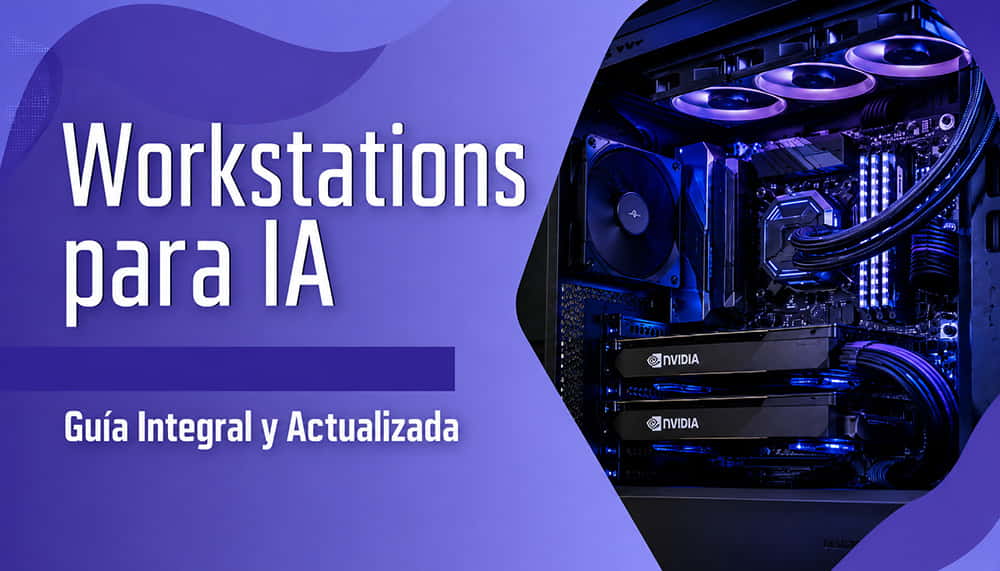
Workstation for Artificial Intelligence: Complete Guide to Choosing AI Hardware in 2026
Artificial intelligence is no longer exclusive to large laboratories or hyperscalers. In 2026, more and more companies, universities, engineering studios, and development teams need to run AI models locally, securely, and with high performance. This is where the workstation for artificial intelligence comes into play.
At Ibertrónica, we have spent decades configuring high-performance systems for professionals. The difference today is that requirements have changed: training LLM models, running local inference, working with computer vision, or developing machine learning solutions requires hardware that is very different from a conventional PC.
In this guide, we explain what an AI-oriented workstation should include, which components really matter, and which configurations we recommend depending on the type of project.
What Makes an AI Workstation Different from a Conventional PC
A workstation for artificial intelligence is designed to handle intensive and sustained workloads for hours or even days. It is not simply “a powerful computer”.
The main differences compared to a conventional PC are:
Professional GPUs with a large amount of VRAM.
Greater thermal and electrical stability.
Ability to work with multiple GPUs.
High-capacity RAM.
High-performance NVMe storage for datasets.
Certified compatibility with professional software.
Chassis and power supplies prepared for continuous workloads.
While a home computer can run basic AI tasks or small models, a professional workstation allows you to:
Train deep learning models.
Run LLMs locally.
Fine-tune models.
Process large datasets.
Work with real-time computer vision.
Render and generate content using AI.
In business environments, factors such as reliability, technical support, scalability, and operational continuity also come into play.
Training vs Inference: Hardware Implications
One of the most common mistakes is thinking that all AI workloads require the same type of hardware.
It is not the same to:
Train a model from scratch.
Perform fine-tuning.
Run inference.
Serve models in production.
Training
Training is the most demanding phase. Here, the GPU is absolutely critical.
The most important factors are:
Available VRAM.
Memory bandwidth.
Tensor performance.
Multi-GPU capability.
Stable cooling.
Modern models such as Llama, Mistral, or Mixtral can consume huge amounts of memory, even in fine-tuning tasks.
For serious training, it is now common to work with:
NVIDIA H100.
NVIDIA H200.
NVIDIA RTX PRO 6000 Blackwell.
HGX infrastructure.
Inference
Inference has different requirements.
Here, the most important aspects are usually:
Latency.
Power consumption.
Tokens per second.
Performance/price ratio.
Many companies run local inference with professional RTX GPUs or even advanced gaming GPUs when the budget is more limited.
Fine-Tuning
Fine-tuning sits somewhere in between.
With techniques such as:
LoRA.
QLoRA.
Quantization.
It is possible to adapt large models using more affordable hardware.
That is why many companies choose workstations with RTX PRO 6000 Blackwell or multi-GPU configurations before making the leap to large-scale GPU servers.
GPU: The Critical Component
If there is one component that defines an AI workstation, it is the GPU.
The difference between a functional machine and an insufficient one is usually found here.
VRAM: The Most Important Factor
VRAM determines the size of the model and batch you will be able to handle.
As a general reference:
Use Case
Recommended VRAM
Basic LLM 7B inference
16-24 GB
Fine-tuning 7B-13B models
24-48 GB
Advanced training
80-141 GB
Enterprise multi-GPU
160 GB+
When the model does not fit into memory:
Performance drops dramatically.
Bottlenecks appear.
Training may become unfeasible.
Bandwidth and HBM Memory
The amount of memory is not the only important factor. Bandwidth is key in AI.
The H100 and H200 GPUs stand out precisely because they use HBM3 and HBM3e memory with several TB/s of bandwidth.
This greatly accelerates:
Distributed training.
Attention in LLMs.
Batch inference.
Tensor processing.
CUDA and the NVIDIA Ecosystem
In 2026, NVIDIA continues to clearly dominate the professional AI ecosystem.
Most frameworks are optimized for:
CUDA.
cuDNN.
TensorRT.
NCCL.
And platforms such as:
PyTorch.
TensorFlow.
JAX.
They perform better and receive priority support in NVIDIA environments. That is why most professional AI workstations continue to be based on NVIDIA GPUs.
CPU and RAM: How Much Do You Really Need?
Although the GPU is the main component, CPU and RAM remain essential.
CPU
The CPU handles:
Dataset preparation.
Compression.
Pipelines.
Orchestration.
Virtualization.
Compilation.
The most common platforms for AI workstations are:
AMD Threadripper PRO.
Intel Xeon W.
How Many Cores Do You Need?
It depends on the workflow:
Type of Use
Recommended CPU
Light AI / inference
16-24 cores
Fine-tuning and development
24-64 cores
Multi-GPU / virtualization
64-96 cores
RAM Memory
RAM usually runs out sooner than expected.
Realistic minimum recommendation in 2026:
Scenario
Recommended RAM
Basic AI development
64 GB
Professional AI workstation
128 GB
Large datasets
256-512 GB
HPC / multi-user
1 TB+
Many modern AI workflows load huge volumes of data into memory to speed up training. That is why 128 GB has practically become the professional entry point.
Storage for Datasets: NVMe, Tiers, and Capacity
Another common mistake is underestimating storage.
Modern datasets can take up:
Hundreds of GB.
Several TB.
Tens of TB in enterprise environments.
NVMe PCIe Gen4 and Gen5
For AI, NVMe storage is mandatory.
Traditional SATA SSDs create major bottlenecks.
We currently recommend:
NVMe Gen4 as a minimum.
Gen5 for intensive workloads.
RAID configurations in advanced environments.
Tiered Storage Strategy
Many companies implement:
Tier
Function
Ultra-fast NVMe
Active datasets
Secondary SSDs
Projects and cache
NAS / server
Archiving and backup
This allows companies to optimize both cost and performance.
Cooling and Power Consumption: Key Points Nobody Explains
Modern AI workstations consume much more power than traditional workstations.
A single advanced GPU can exceed:
500W.
600W.
Even more under sustained workloads.
And a multi-GPU configuration can easily approach:
2000W.
3000W.
Cooling
This is where many problems appear in poorly designed configurations:
Thermal throttling.
Excessive noise.
Instability.
Reduced lifespan.
That is why the following are essential:
Professional airflow.
AI-ready chassis.
Platinum/Titanium power supplies.
Optimized cooling.
Correct GPU distribution.
At Ibertrónica, we design configurations specifically validated for continuous AI workloads.
3 Recommended Configurations in 2026
1. Entry-Level Local AI
Recommended Profile
AI development.
Local inference.
LLM 7B-13B.
Business automation.
Suggested Configuration
AMD Threadripper CPU.
64-128 GB RAM.
NVIDIA RTX 5080 / RTX PRO.
2 TB NVMe.
Approximate budget: between €3,500 and €6,000.
2. Professional Research and Fine-Tuning
Recommended Profile
Universities.
AI startups.
ML teams.
LLM fine-tuning.
Suggested Configuration
Threadripper PRO.
128-256 GB RAM.
RTX PRO 6000 Blackwell.
4-8 TB NVMe.
Approximate budget: between €10,000 and €20,000.
3. Advanced Multi-GPU Training
Recommended Profile
Large models.
HPC.
Enterprise AI.
Massive computer vision.
Suggested Configuration
Dual CPU or advanced Threadripper PRO.
512 GB-1 TB RAM.
H100/H200 multi-GPU.
Enterprise NVMe infrastructure.
Approximate budget: from €40,000.
Looking for a professional workstation for AI? At Ibertrónica, we configure custom systems for local inference, fine-tuning, ML development, and advanced GPU workloads.
Hardware is only one part of the ecosystem. Software compatibility is critical.
Most Commonly Used Frameworks
The most common environments today are:
PyTorch.
TensorFlow.
JAX.
ONNX.
TensorRT.
CUDA Toolkit.
Linux vs Windows
In professional AI, Linux clearly dominates.
Especially:
Ubuntu.
Rocky Linux.
Debian.
Although some companies continue to use Windows for hybrid AI, CAD, and rendering workflows.
Certified Drivers
One of the main strengths of professional GPUs is precisely driver stability.
In production environments, this makes a big difference compared to gaming hardware.
Workstation vs GPU Server: When to Choose Each One
Not every project needs a GPU cluster.
When to Choose a Workstation
A workstation is usually ideal when:
The team is small.
Development is local.
Flexibility is required.
The budget is limited.
AI is combined with other professional tasks.
When to Choose a GPU Server
A GPU server starts to make sense when:
There are multiple users.
High availability is required.
Distributed training is needed.
Dozens of GPUs are required.
There are enterprise deployments.
Many companies start with workstations and later evolve towards dedicated GPU servers.
Frequently Asked Questions
How Much VRAM Do I Need to Work with AI?
It depends on the model. For modern LLMs, 24 GB is usually the practical professional minimum.
Is a Gaming GPU or a Professional GPU Better?
For business projects and continuous workloads, professional GPUs offer better stability, certified drivers, and greater memory capacity.
Can I Run LLMs Locally?
Yes. Today, it is perfectly feasible to run 7B, 13B, and even larger models on modern workstations.
How Much RAM Do I Really Need?
For professional AI, we recommend a minimum of 128 GB.
Linux or Windows?
Linux remains the preferred option in professional AI due to compatibility and performance.
Conclusion
Choosing the right workstation for artificial intelligence can make a huge difference in productivity, scalability, and operating costs.
In modern AI, hardware matters. A lot.
The key is to design a balanced platform:
Suitable GPU.
Enough memory.
Stable cooling.
Fast storage.
Future scalability.
At Ibertrónica, we help companies, universities, and professionals configure AI workstations adapted to each real need.
We do not work with generic configurations: we design solutions optimized for each workload.
Not sure what hardware you need for your AI project? Our technical team can help you define the most suitable GPU, CPU, RAM, storage, and cooling according to your workload.
If you are considering implementing local AI, training models, or deploying professional GPU infrastructure, our team can help you define the most suitable configuration.
Request a custom quote for your workstation for artificial intelligence, and we will advise you according to: