Choosing between the NVIDIA L40S, L4 and T4 is one of the most common —and most misunderstood— decisions in AI and data centre infrastructure. All three are professional NVIDIA GPUs designed for servers, but their positioning is completely different. Confusing them can lead to an oversized budget or, worse, create a bottleneck that slows down the entire infrastructure.
This comparison analyses the specifications, real-world use cases and TCO of each model to help you make the right decision based on your workload.
Three GPUs, three purposes: understanding their positioning
Before looking at the specifications table, it is important to understand the role of each GPU within NVIDIA’s data centre ecosystem:
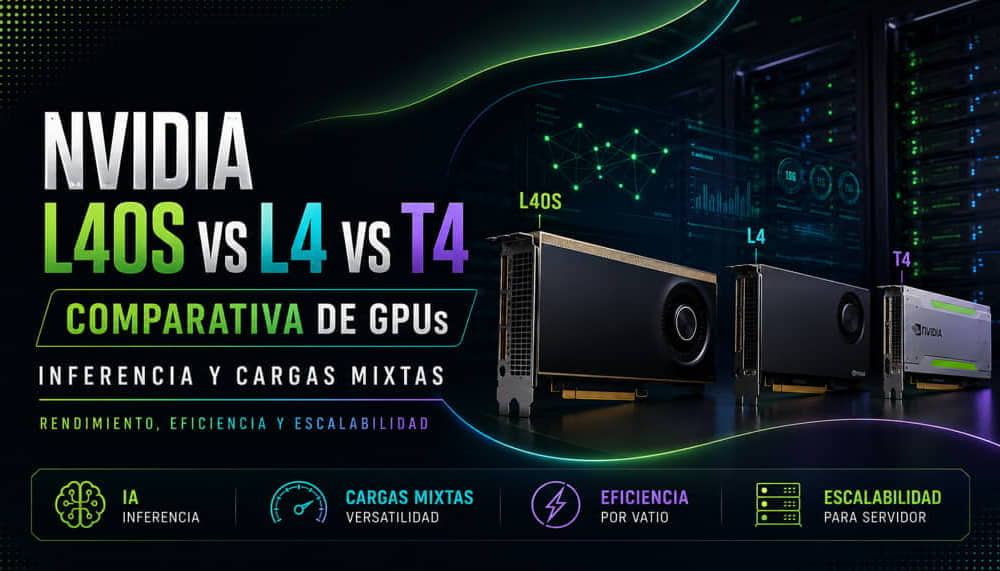
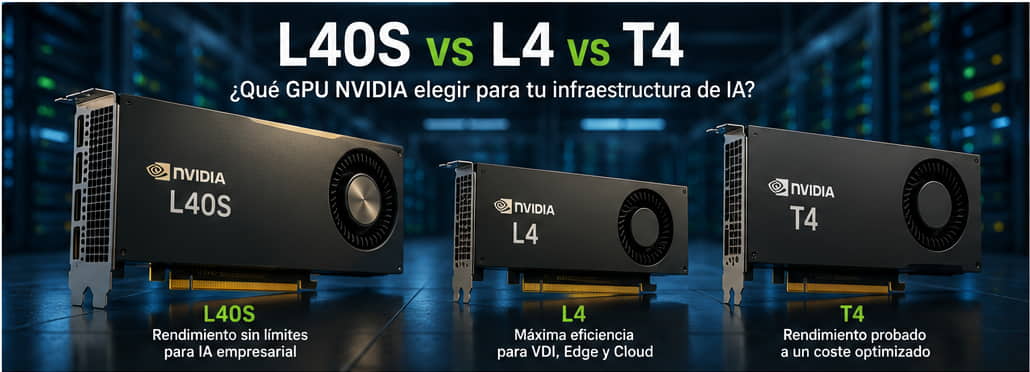
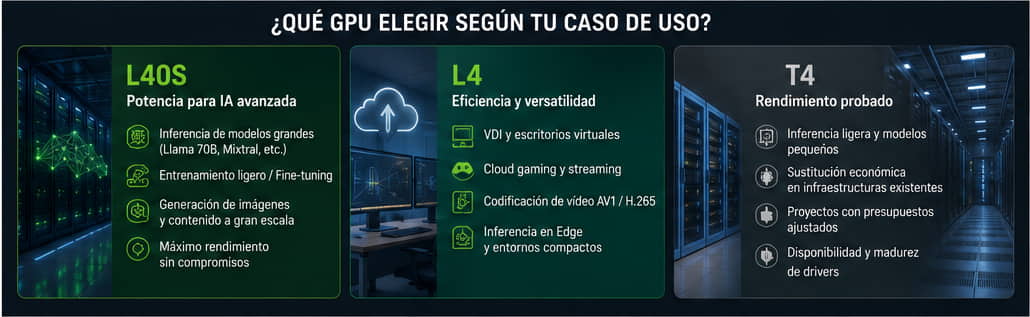
NVIDIA L40S: this is the most powerful server GPU in the Ada Lovelace segment. It is designed for large-model inference, light training and workloads that require substantial memory and computing power. It is the right option when performance takes priority over power consumption.
NVIDIA L4: prioritises energy efficiency above everything else. With a 72 W TDP in a single-slot form factor, it enables much higher GPU density per rack than other alternatives. Its natural use cases include VDI, cloud gaming, video encoding and edge inference.
NVIDIA T4: uses Turing technology —one generation older than Ada— but remains one of the most widely deployed GPUs in data centres worldwide. Many production infrastructures continue to run on T4 due to its cost, availability and mature drivers. It remains a valid option for legacy workloads or limited budgets.
Full comparison table
Specification
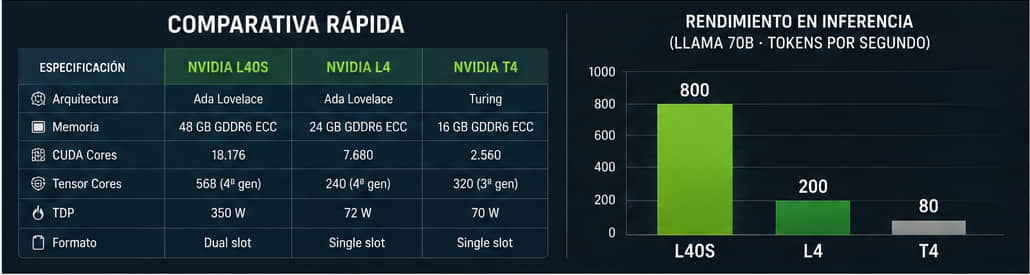
NVIDIA L40S
NVIDIA L4
NVIDIA T4
Architecture
Ada Lovelace
Ada Lovelace
Turing
Memory
48 GB GDDR6 ECC
24 GB GDDR6 ECC
16 GB GDDR6 ECC
Memory bandwidth
864 GB/s
300 GB/s
320 GB/s
CUDA Cores
18,176
7,680
2,560
Tensor Cores
568, 4th generation
240, 4th generation
320, 3rd generation
RT Cores
142
60
40
TDP
350 W
72 W
70 W
Interface
PCIe Gen4
PCIe Gen4
PCIe Gen3
Form factor
Dual slot
Single slot
Single slot
ECC
Yes
Yes
Yes
Segment
AI inference and light training
VDI, edge and cloud gaming
Legacy workloads and small-scale inference
The difference in power consumption between the L40S at 350 W and the other two GPUs at approximately 70 W is the most important figure in this table. This is not a minor technical detail: it is the factor that determines which GPU makes sense for each infrastructure.
NVIDIA L40S: the workhorse for enterprise AI
The NVIDIA L40S is a GPU designed for enterprise inference using large models. Its 48 GB of GDDR6 ECC memory makes it possible to run models locally that the L4 and T4 cannot load as easily, including Llama 70B, Mixtral 8x7B, multimodal models and quantised versions of models with more than 100 billion parameters.
Its fourth-generation Tensor Cores accelerate mixed-precision operations such as FP16, BF16 and INT8, which form the foundation of modern inference performance. In Llama 70B inference benchmarks, the L40S generates approximately 800 tokens per second, compared with around 200 for the L4 and 80 for the T4.
Beyond inference, the L40S can also be used for:
Light training using LoRA or QLoRA on models with between 7B and 13B parameters.
Fine-tuning computer vision models.
Image generation with Stable Diffusion XL.
Running equivalent generative models at high speed.
Its main limitation is power consumption. 350 W per GPU requires active cooling, servers with high-capacity power supplies and considerable operating costs. In high-density racks, thermal management is a critical factor that must be planned from the infrastructure design stage.
To complement this GPU with the appropriate server platform, see our AI workstation guide and the AI servers available in our catalogue.
NVIDIA L4: the most energy-efficient option
The NVIDIA L4 is one of the most energy-efficient data centre GPUs of its generation. With a TDP of just 72 W and a single-slot PCIe form factor, it delivers excellent performance per watt, making it the right option in more scenarios than might initially appear.
Its 24 GB of GDDR6 ECC memory is sufficient for inference using small and medium-sized models, including Llama 7B, Mistral 7B and compact vision models, while maintaining competitive latency.
Its main use cases include:
VDI: its low power consumption enables densities of up to 24–32 sessions per GPU, depending on the user profile, reducing the cost per workstation.
Cloud gaming: it provides graphics acceleration and video encoding in a compact and efficient format.
Video streaming: it includes hardware support for AV1, H.265 and H.264 encoding and decoding.
AI inference: it is suitable for small and medium-sized models.
Edge computing: its low power consumption and compact format make it possible to install it in environments with limited electrical capacity or without conventional data centre cooling.
NVIDIA T4: when it still makes sense
The NVIDIA T4 uses the Turing architecture and was launched in 2018, but describing it as completely obsolete would be inaccurate. It remains present in many data centre infrastructures for specific reasons.
Its availability on the second-hand market and through cloud services such as AWS G4dn, Google Cloud T4 instances and Azure NC T4 v3 provides access to this GPU at a much lower cost than Ada-based alternatives.
For light inference workloads, including models with between 1B and 3B parameters, text classification or object detection using compact models, the T4 continues to deliver valid performance.
It may also make sense to retain an existing T4 infrastructure when the migration cost cannot be justified by the expected performance improvement. In many enterprise environments, a production T4 running known workloads with mature drivers may be more predictable than immediately migrating to a new architecture.
However, the T4 is no longer competitive for:
Models with more than 7B parameters requiring smooth inference.
Modern fine-tuning workloads.
Large-scale, high-quality image generation.
VDI with demanding graphics profiles.
Comparison by use case
Use case
Best option
Second option
Not recommended
70B+ LLM inference
L40S
—
L4 and T4
7B–13B LLM inference
L4
L40S
T4, with limitations
Small-model inference
T4 or L4
—
L40S, oversized
LoRA or QLoRA fine-tuning
L40S
L4 for small models
T4
Standard VDI: Office and browser workloads
L4
T4
L40S
Professional graphics VDI
L40S
L4
T4
Cloud gaming
L4
L40S
T4
AV1/H.265 video encoding
L4
L40S
T4
Edge computing and low power consumption
L4
T4
L40S
Existing legacy infrastructure
T4
—
—
Real TCO: power consumption and density
The GPU purchase price is only one part of the total cost. In a data centre operating 24 hours a day for a period of three to five years, accumulated energy costs can account for a significant proportion of the initial hardware investment.
The following indicative calculation assumes continuous operation and an electricity price of €0.12/kWh:
GPU
TDP
Annual electricity cost
Electricity cost over 3 years
NVIDIA L40S
350 W
Approximately €368
Approximately €1,105
NVIDIA L4
72 W
Approximately €75
Approximately €226
NVIDIA T4
70 W
Approximately €73
Approximately €220
An infrastructure with ten L40S GPUs compared with ten L4 GPUs represents an energy cost difference of approximately €2,900 per year. In high-density racks with twenty or more GPUs, this difference becomes a significant budget factor that is often overlooked during the initial hardware price comparison.
Density must also be considered alongside power consumption. The single-slot form factor of the L4 and T4 makes it possible to install more GPUs per server than the dual-slot L40S. This can reduce the number of servers required to achieve a given inference capacity in energy-efficient workloads.
Compatible servers
All three GPUs use a PCIe interface and are compatible with many standard rack servers in 1U, 2U and 4U formats. However, there are several important practical considerations.
Servers for the NVIDIA L40S
The L40S, with a 350 W TDP and dual-slot form factor, requires:
High-capacity redundant power supplies.
Active cooling systems designed for heavy workloads.
Sufficient space for dual-slot GPUs.
Airflow optimised for continuous workloads.
Platforms such as the Dell PowerEdge R750xa, HPE ProLiant DL380 Gen10 Plus and Supermicro 4124GS are common options for this type of configuration.
Servers for the NVIDIA L4 and T4
The L4 and T4 are considerably more flexible thanks to their single-slot form factor and low power consumption. They can be installed in high-density servers with up to eight GPUs per node without the same thermal and electrical requirements as the L40S.
This makes them particularly suitable for scale-out infrastructures, VDI, video, edge computing and distributed inference.
See our NVIDIA catalogue to discover the options currently available.
Is it worth waiting for the Blackwell successor?
NVIDIA’s Blackwell architecture is already available across several market segments. In the inference server and VDI segment, where the L40S, L4 and T4 compete, NVIDIA is evolving its product portfolio towards new solutions based on this architecture.
Whether it is worth waiting depends on the needs of each project:
Infrastructure required within the next three to six months: the Ada-based L40S and L4 remain valid options. The arrival of a new generation does not mean that existing models immediately become obsolete.
Planning over two or three years: it may make sense to evaluate the Blackwell alternatives available for this segment. Improvements in energy efficiency and Tensor Cores can have a direct impact on long-term TCO.
FAQ
What is the main difference between the L40S and the L4?
The L40S has twice the memory, with 48 GB compared with 24 GB, more than twice the computing power and almost five times the energy consumption, at 350 W compared with 72 W. The L40S is designed for heavy inference workloads and large models, while the L4 prioritises efficiency in VDI, cloud gaming and small- to medium-sized model inference.
Is the NVIDIA T4 still a valid option in 2026?
Yes, for light inference workloads, existing production infrastructures and projects with limited budgets. For new deployments that require modern models with more than 7B parameters or demanding graphics VDI, the L4 is usually the more logical alternative.
Can the L40S replace an H100 for inference?
For inference using models with up to 70B parameters, the L40S can be a more economical alternative to the H100 and provide adequate performance for many enterprise use cases. For training large models or inference using models with more than 100B parameters without aggressive quantisation, the H100 remains the more suitable option.
How many L4 GPUs are equivalent to one L40S for inference?
It depends on the model and workload. For medium-sized model inference where both GPUs have sufficient VRAM, approximately three or four L4 GPUs may approach the performance of one L40S. However, the cost, power consumption, inter-GPU communication and complexity of managing multiple devices must also be considered.
Is the L4 suitable for running LLMs locally in a company?
Yes, particularly for models with up to 13B parameters in quantised INT8 or INT4 versions. Models such as Llama 13B or Mistral 7B can run smoothly on an L4. For models with 70B parameters or more, the L40S represents a more viable minimum option.
Which GPU should a medium-sized company choose for an AI pilot project?
For a medium-sized company that wants to test local inference without making a large investment, the NVIDIA L4 is a balanced entry point: affordable pricing, low power consumption, 24 GB of VRAM and compatibility with common frameworks such as PyTorch, TensorRT and vLLM.
Do you need help defining the right GPU server configuration for your infrastructure? Our technical team can advise you on choosing and sizing the system according to your actual workload.